PDF

Drawings that open fast, and markups that stay in the file.

LinkOne PDF opens, marks up and measures construction drawings, from a single sheet to a 700 MB set, on your desktop or in your browser.

Windows 10 and 11, 64-bit. Also for Linux. Other downloads
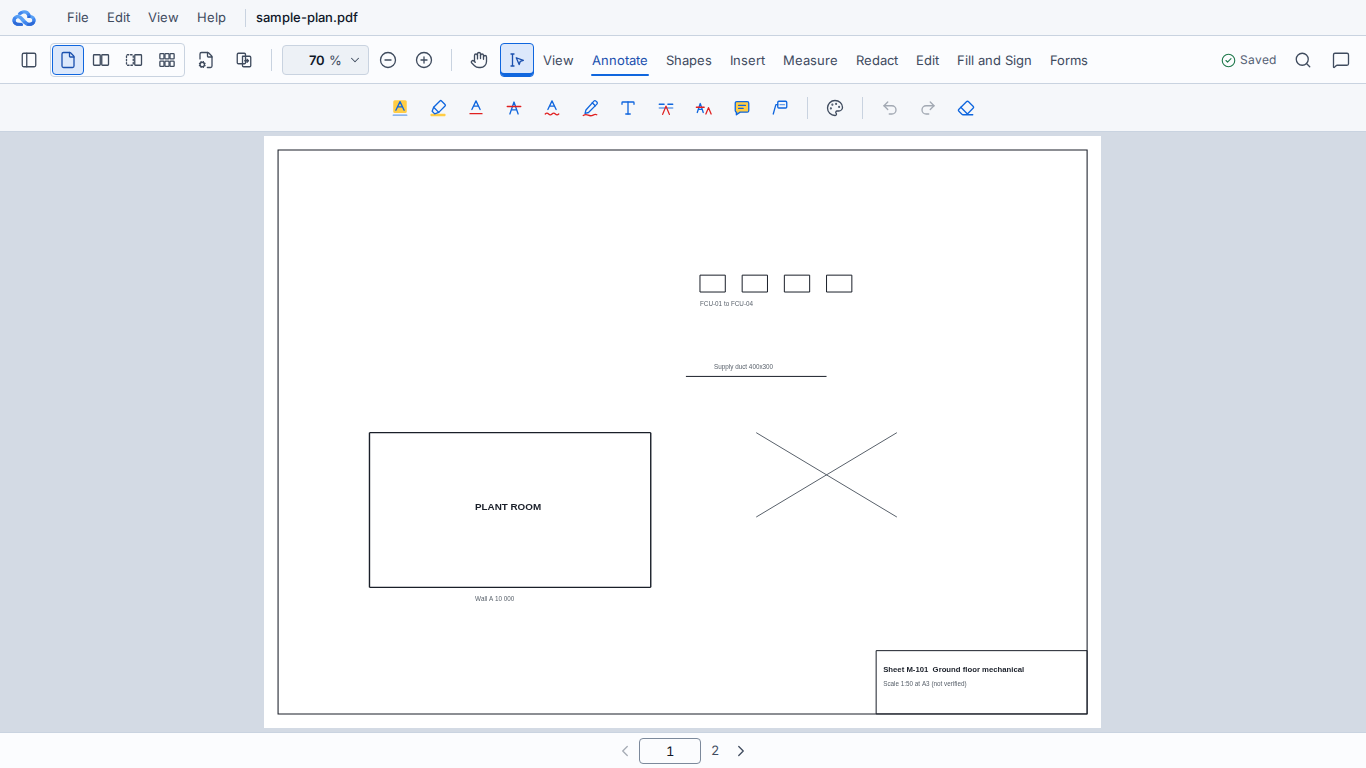
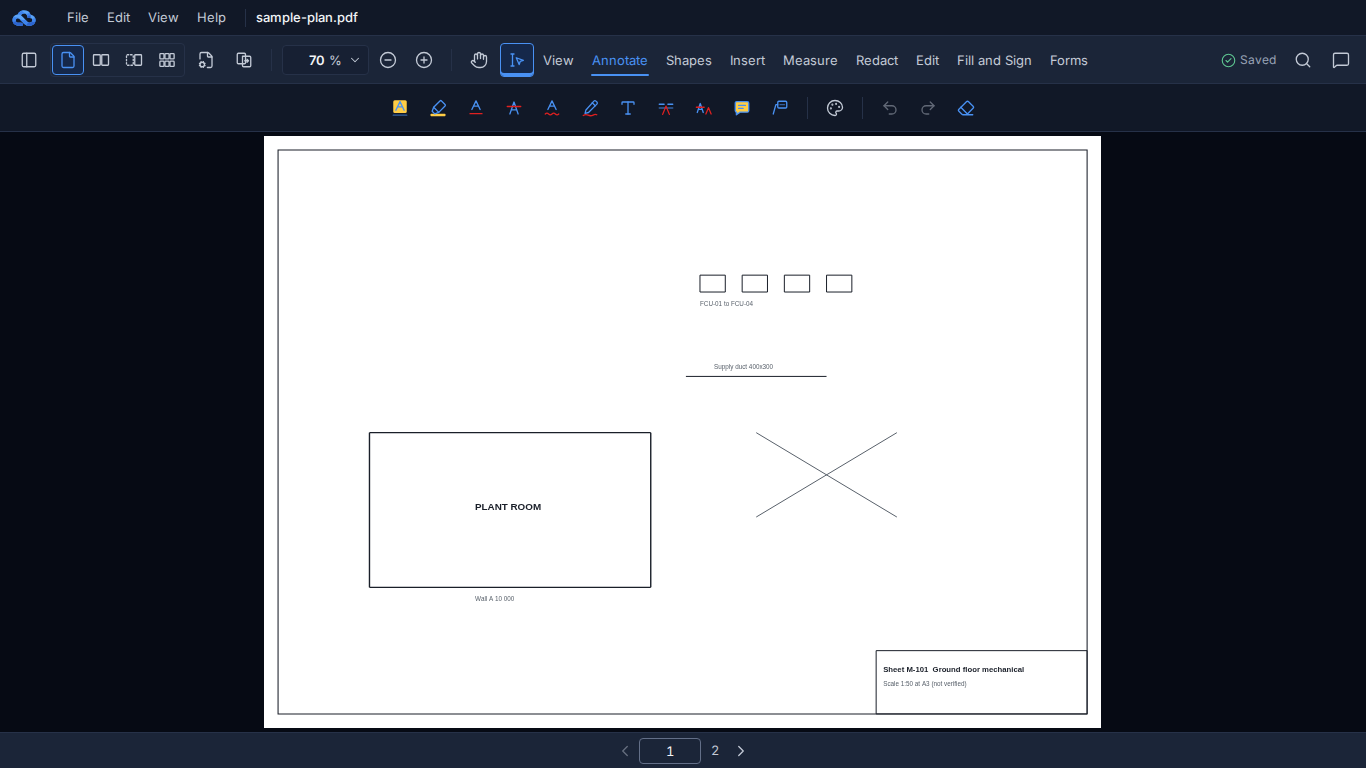
LinkOne PDF with a ground floor mechanical drawing open and the Annotate tools showingLinkOne PDF in dark mode with a ground floor mechanical drawing open
Latest version
0.1.44
Released
27 Nov 2026
Setup
147 MB
Portable
129 MB
Updates
Automatic

Download

Always the latest version. Installed copies update themselves.

Setup

Installs for your account. No admin rights needed.

  • Updates itself in the background
  • Start menu and desktop shortcuts
  • Can be your default PDF program

LinkOne-PDF-Setup-0.1.44.exe, 147 MB

Download setup

Portable

Runs from any folder or a USB stick, with nothing installed.

  • Nothing written to the system
  • Good for locked-down or shared PCs
  • Download the new version here when one comes out

LinkOne-PDF-0.1.44-portable.exe, 129 MB

Download portable

Use it in your browser

The same engine runs in Chrome, Edge and Firefox with nothing to install. Your drawings open from your computer and stay there.

pdf.linkone.cloud/app

Open in your browser

Why LinkOne PDF

  • Reads only the sheet you are onFirst sheet up while the rest is on disk.
  • Saves in 0.3 secondsEven for a 700 MB set.
  • Markups any reader can showStandard PDF, no add-on, no account.
  • Keeps up with revisionsReload from CAD and keep your markups.
  • Never loses workBack after a crash or power cut.
  • Your drawings stay with youThe browser version never uploads them.

In the browser, against a leading commercial PDF engine

Same file, same computer and same browser for each pair. Medians of repeated runs.

MeasureBrowserLinkOne PDFCommercial engineDifference
A large map sheet, first on screenChrome0.98 s1.80 s45% faster
Paging through 14 sheets of a 700 MB setFirefox7.2 s11.8 s39% faster
Memory after paging back to the first sheetChrome805 MB1,114 MB28% less
Memory on sheet 14 of a 700 MB setChrome889 MB1,057 MB16% less
First sheet of a 700 MB set on screenChrome0.73 s0.78 s7% faster

On the desktop, against a leading desktop PDF reader

Windows, the same 150 MB drawing, medians of three runs.

MeasureLinkOne PDFDesktop readerDifference
Processor time with a drawing open for 30 s0.24 s0.80 s71% less

Features

What each offers on screen as shipped.

FeatureLinkOne PDFCommercial engine
Opens big drawings in partsYesPartly
Brings markups back after a crashYesNo
Compare overlay of what changedYesPartly
Search scanned sheets (OCR)YesNo
Snaps to the drawing's linesYesPartly
Volume, slope, angle and moreYesNo
Shrink file sizeYesNo
Passwords and permissionsYesNo
Remove hidden dataYesNo
PDF/A archive copiesYesNo

Features

  • Mark upClouds, callouts, text and stamps
  • Opens big drawings fastSheets load as you reach them
  • Measure and take offLengths, areas, counts and quantities
  • Never lose workKept as you go, back after a crash
  • Compare issuesSee what changed between revisions
  • Reload on changeRe-export from CAD, keep your markups
  • SearchWords across a sheet or a folder
  • Read scansOCR makes scanned sheets searchable
  • PagesCombine, reorder, split and print
  • Fill and signForms, signatures and signing requests
  • RedactRemove details for good
  • Desktop and browserWindows, Linux or any browser
All 122 features

Mark up

  • Clouds
  • Text and callouts
  • Highlight and strike-out
  • Pen
  • Shapes and arrows
  • Sticky notes
  • Stamps
  • Pictures
  • Copy and paste
  • Undo and redo
  • Replies and status
  • Markups list
  • Markups table and CSV
  • Summary report
  • Links
  • Eraser
  • Tool sets
  • Your own statuses
  • Copy an area as an image
  • Standard PDF markups
  • XFDF import and export
  • Saved layouts

Open and view

  • Big drawings open fast
  • Tabs
  • Search text
  • Thumbnails
  • Zoom and fit
  • Zoom to a box
  • Light and dark
  • Bookmarks
  • Layers
  • Search a folder of PDFs
  • Page layouts
  • Rotate view
  • Full screen
  • Hide markups
  • Sheet sets
  • Back and forward
  • Page labels
  • Touch gestures
  • Find a command
  • Read mode
  • Presentation mode
  • Theme colours
  • Bates number search
  • Search scans during OCR
  • Library and live sessions

Measure

  • Set the scale
  • Length
  • Area
  • Counts with totals
  • Perimeter
  • Snap to lines
  • Quantities and CSV
  • Scale per sheet
  • Metric or feet and inches
  • Arc
  • Volume, slope and angle
  • Type a length
  • Viewport scales
  • Find similar symbols
  • Measure across matchlines
  • Door and room schedules
  • Custom columns
  • PlanSwift and OST import
  • Map coordinates
  • Standard measure records

Saving and safety

  • Save into the file
  • Autosave and crash recovery
  • Reload when the file changes
  • Save prompt on close
  • Download a copy

Pages and files

  • Combine
  • Reorder
  • Insert, delete and rotate
  • Print
  • Split
  • Shrink file size
  • Export to Word, Excel and PowerPoint
  • Create PDFs from Office, images and web pages
  • Headers and footers
  • Watermarks
  • Batch actions
  • Lighter copies of heavy sheets
  • Folder sheet sets
  • Attachments
  • Save as image
  • Bates numbers
  • PDF/A
  • Portfolios

Compare

  • Overlay of changes
  • Side by side
  • Change list
  • Compare report

Forms and signing

  • Fill forms
  • Signatures
  • Tick, cross and date
  • Flatten
  • Signing requests by link
  • Create form fields
  • Certificate seal

Scans and text

  • OCR
  • Edit text and images
  • Tables to spreadsheets
  • Spell check
  • Accessibility tags

Redact and secure

  • Redact
  • Find and redact patterns
  • Open protected files
  • Passwords and permissions
  • Redact whole pages
  • Check redactions
  • Remove hidden data
  • Check signatures
  • Digital IDs

Desktop and browser

  • Runs in the browser
  • Windows installer
  • Default PDF program
  • Works offline
  • Updates itself
  • Portable
  • Linux

What's new

  1. 0.1.4427 Nov 2026

    Uses less memory than before on large drawings in Chrome and Edge, shows the first page sooner, finds more door types, and draws ink and text boxes from the keyboard.

  2. 0.1.4327 Nov 2026

    Fixes saving a drawing of 128 MB or more on Windows. Large drawings now save by adding changes to the end of the file, in about a tenth of a second.

  3. 0.1.4226 Nov 2026

    The first page of a big drawing appears faster, crash recovery is stronger, and Safari no longer stops on scanned drawings.

Requirements

WindowsWindows 10 or 11, 64-bit
Linux64-bit; AppImage on most distributions, .deb on Debian and Ubuntu
Browser versionCurrent Chrome, Edge or Firefox. Safari works, with a few features still being finished.